Academy Protocols & beltsOWNER GUIDE
PROTOCOLS & BELT PROGRESSIONS

Create your BJJ kids protocol.
Make the progression yours.

Build a kids training program, customize the first belt transition, save it and find its settings again.

5:11Narrated in EnglishVerified in GymFly
Real app captures · AI narration
01
Start here

Your kids program starts here

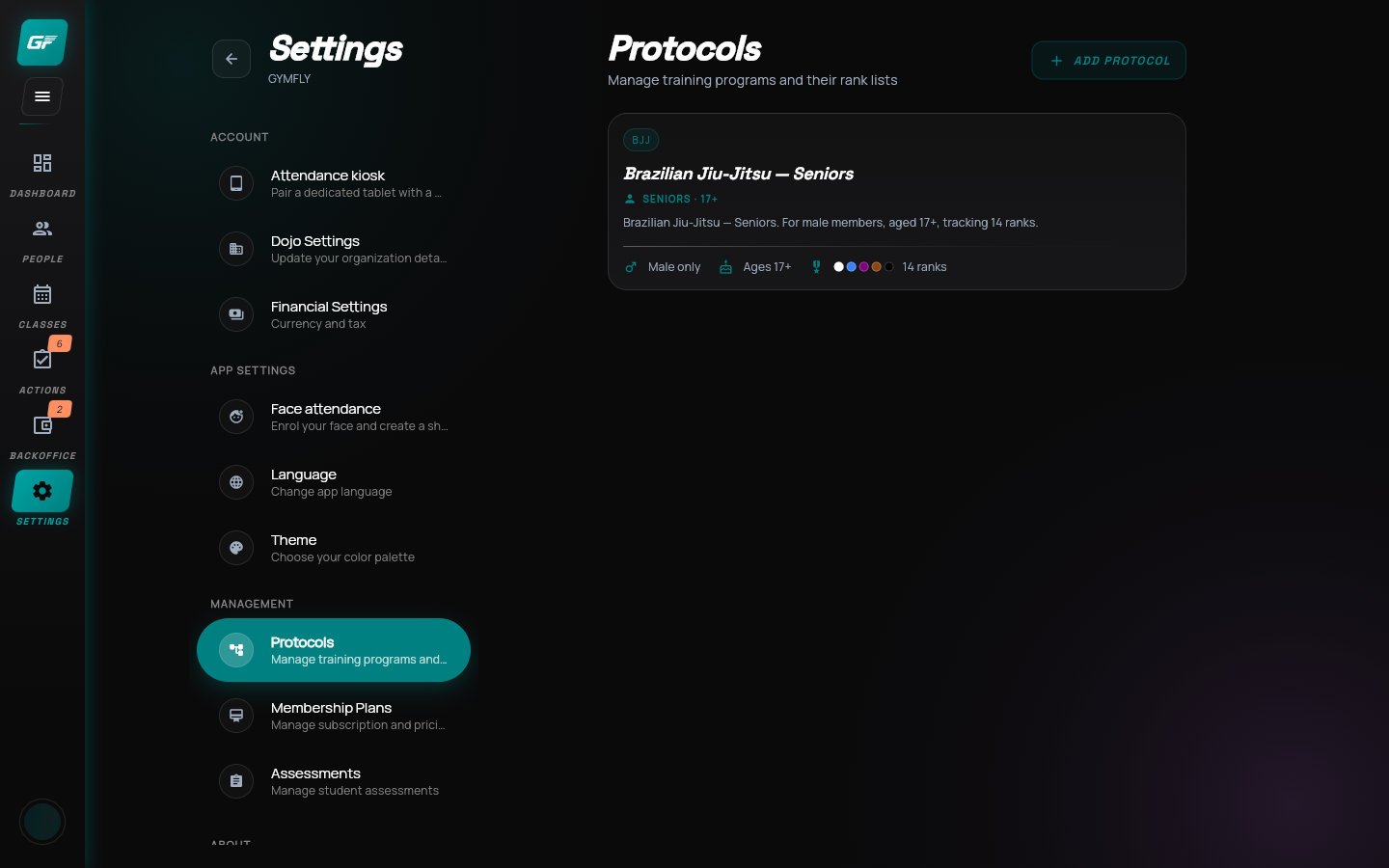
Settings → Protocols

Recorded 6 September 2026MP4 videoCaptionsTranscript
BEFORE YOU BEGIN

Have your program rules ready.

  • Sign in with an owner account.
  • Brazilian Jiu-Jitsu must already be available in your gym’s discipline list.
  • Decide your academy’s age range and progression requirements before assigning members.
STEP 01 · Start here

Your kids program starts here

One protocol brings the age group and belt ladder together.

  1. Sign in as the owner
  2. Open Settings
  3. Find Protocols

The settings in this lesson are an academy example, not federation requirements.
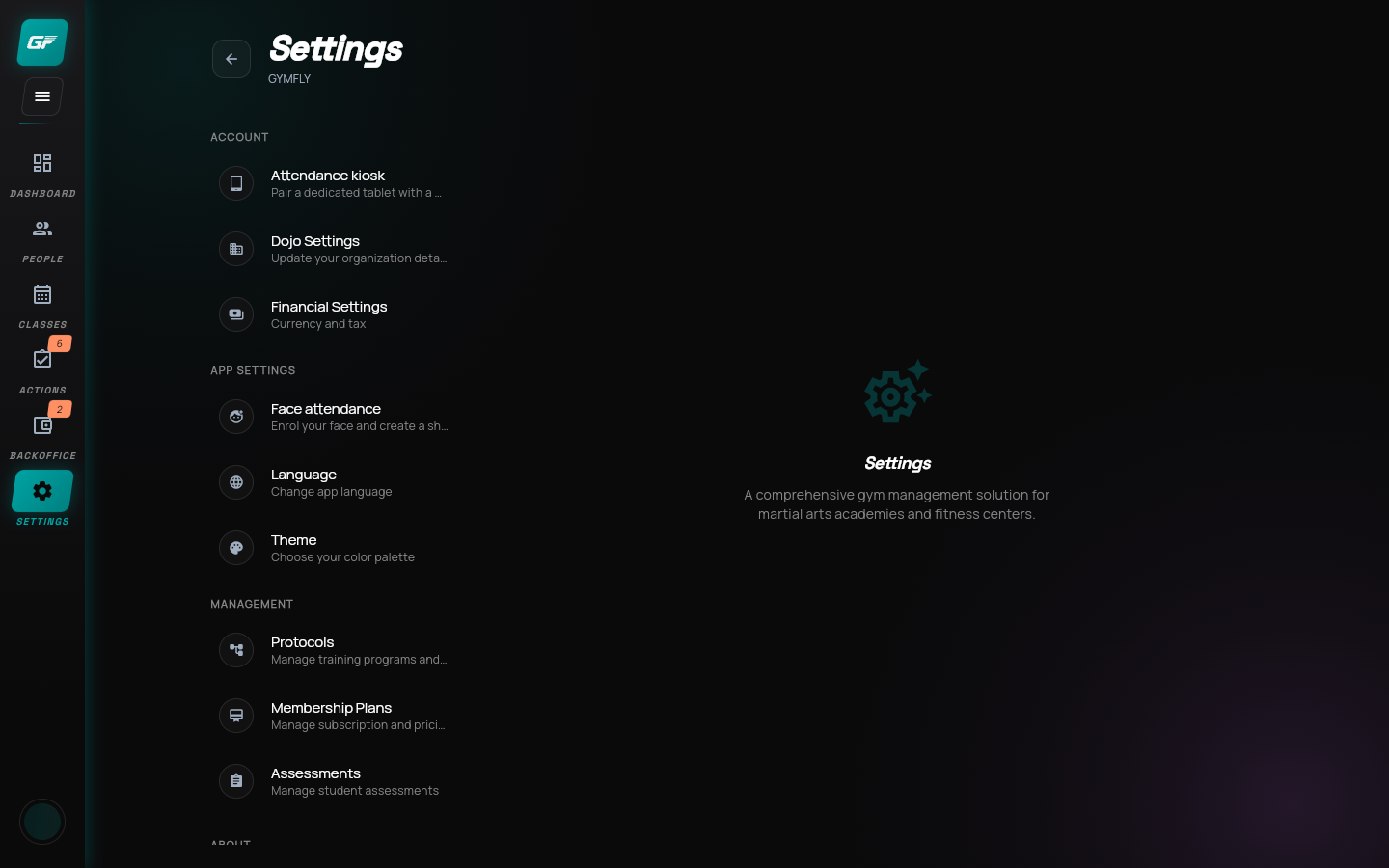
Your kids program starts here in the GymFly appEnlarge
STEP 02 · Create

Add a protocol

Keep the kids program separate from the seniors program.

  1. Select Add Protocol
  2. Start a new program
  3. Keep existing programs intact
Add a protocol in the GymFly appEnlarge
STEP 03 · Discipline

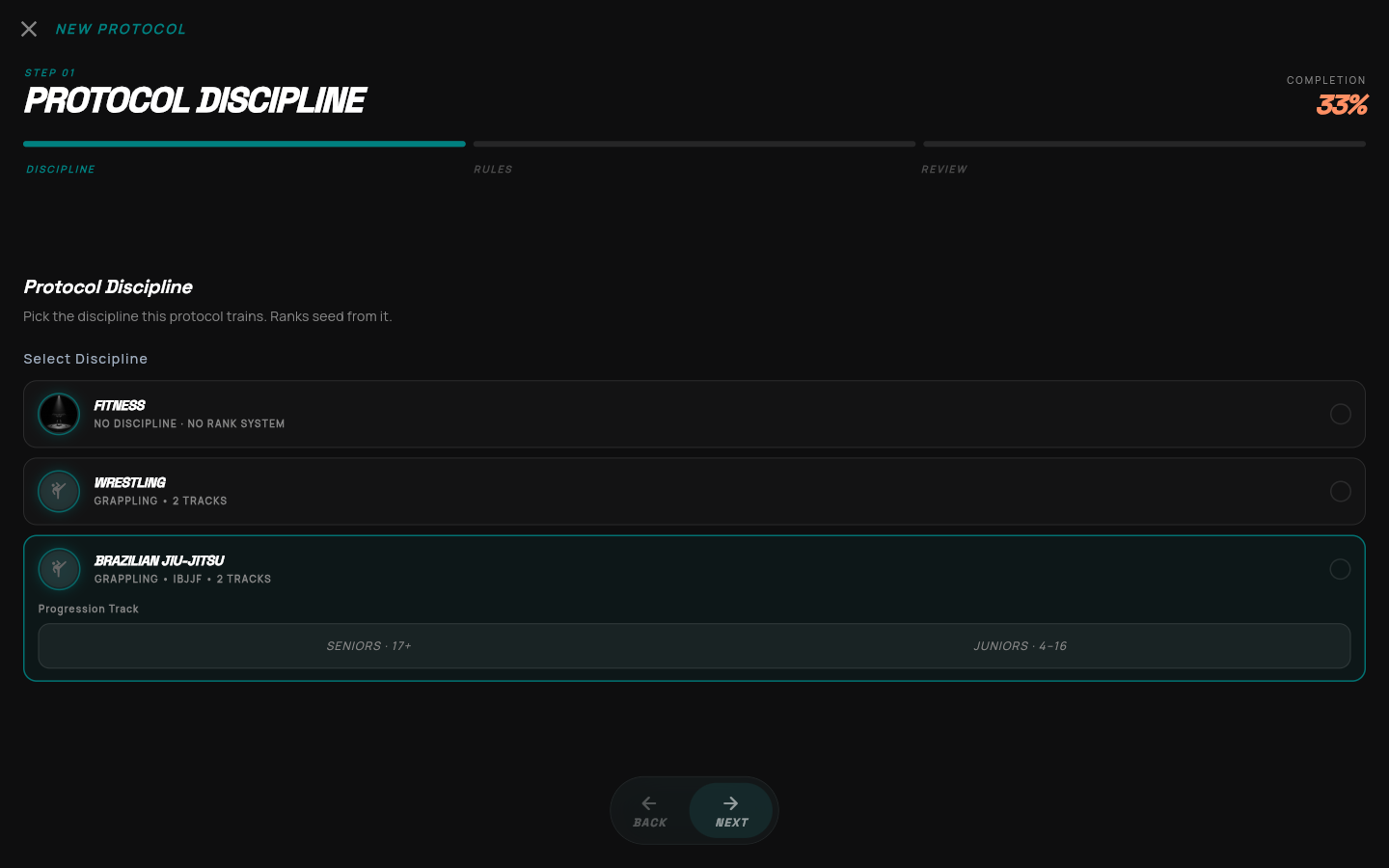
Choose the Juniors track

Use the kids ladder as your starting point.

  1. Brazilian Jiu-Jitsu
  2. Juniors · 4–16
  3. Then select Next

Choose the track before editing its ranks. Switching tracks can replace your edited ladder.

Choose the Juniors track in the GymFly appEnlarge
STEP 04 · Rank ladder

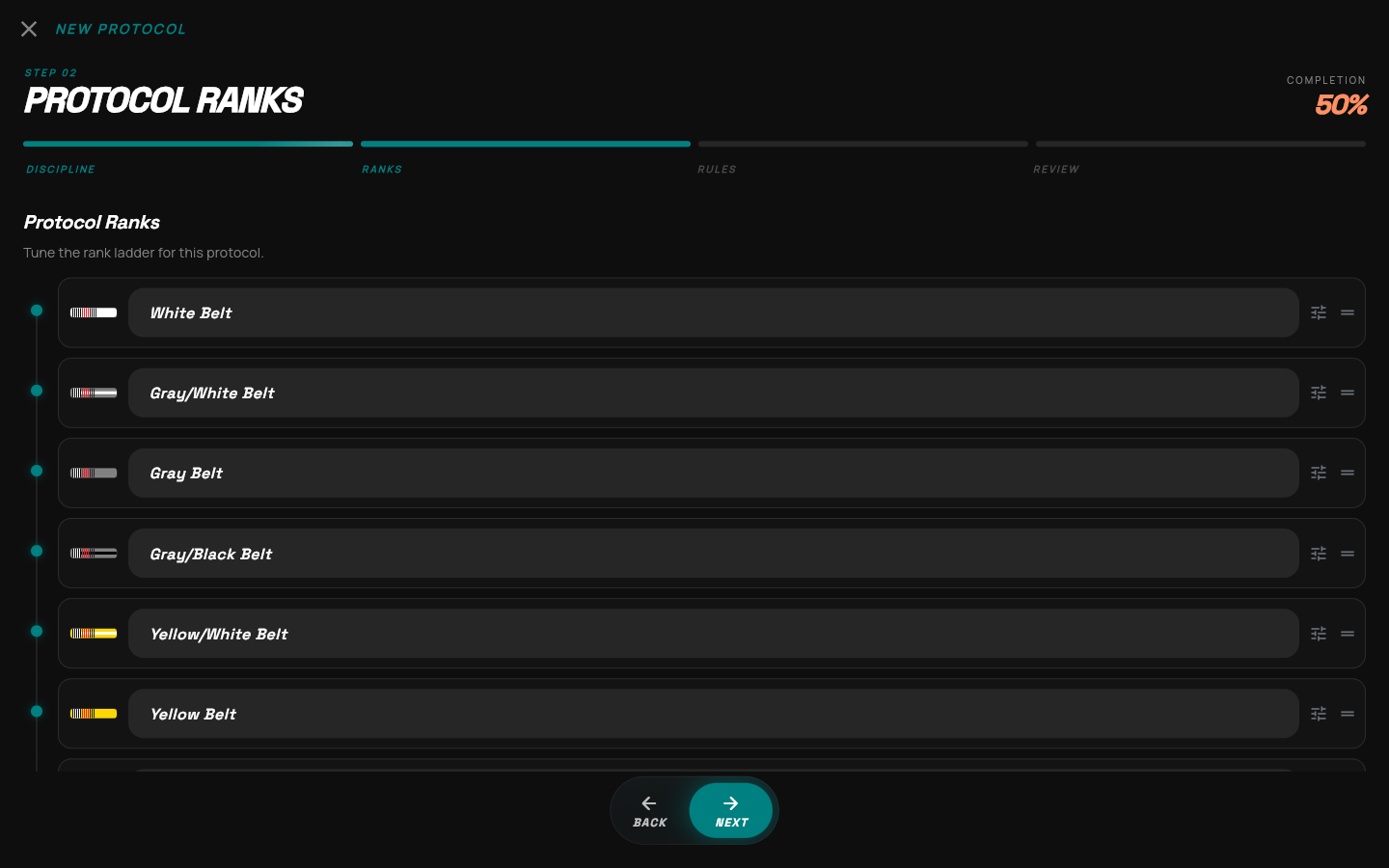
Find the belt to customize

The Juniors template supplies thirteen ranks.

  1. White → gray → yellow
  2. Orange → green
  3. Open the tune icon

The name field edits a belt label. The far-right handle changes its order.

Find the belt to customize in the GymFly appEnlarge
STEP 05 · Current belt

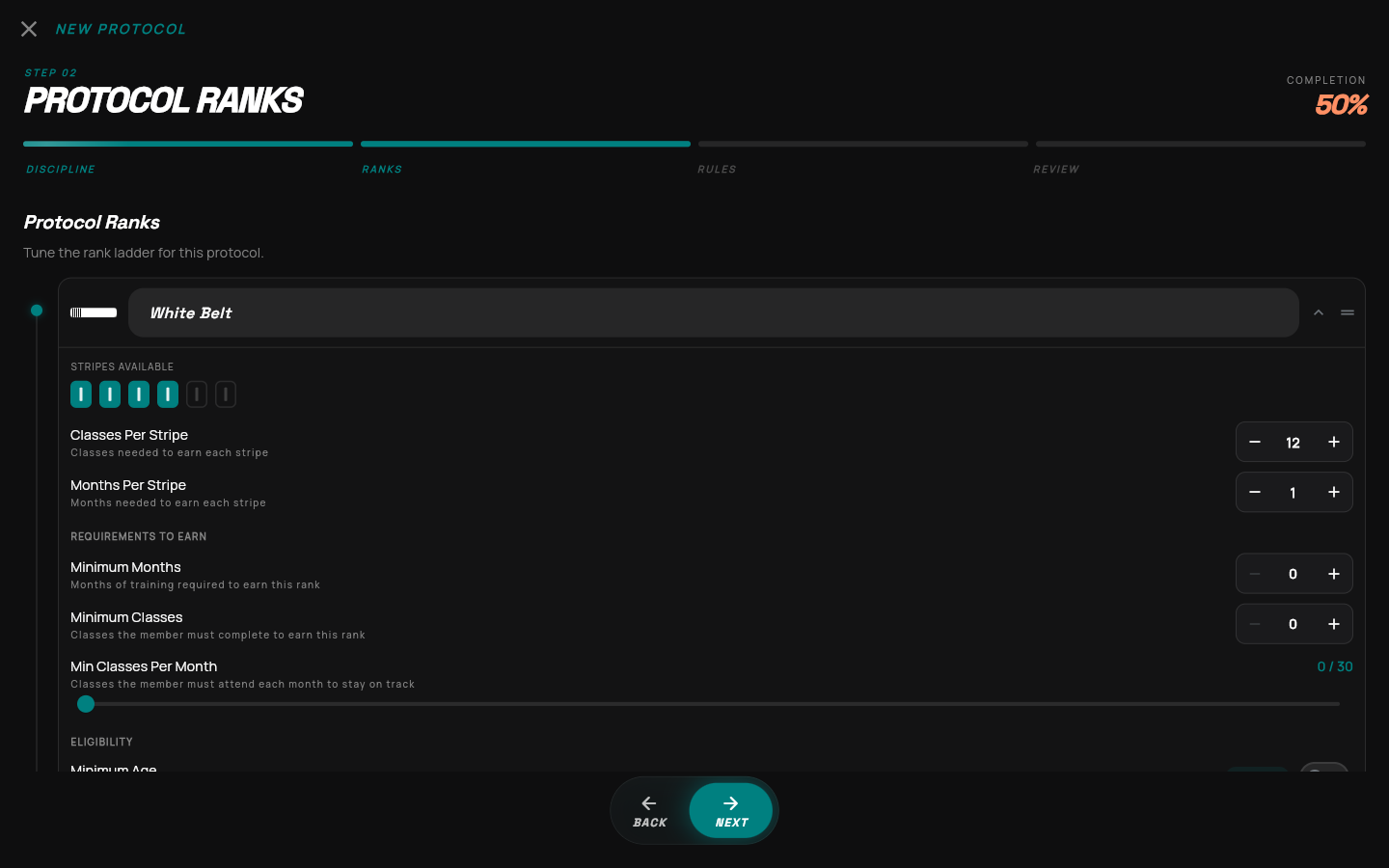
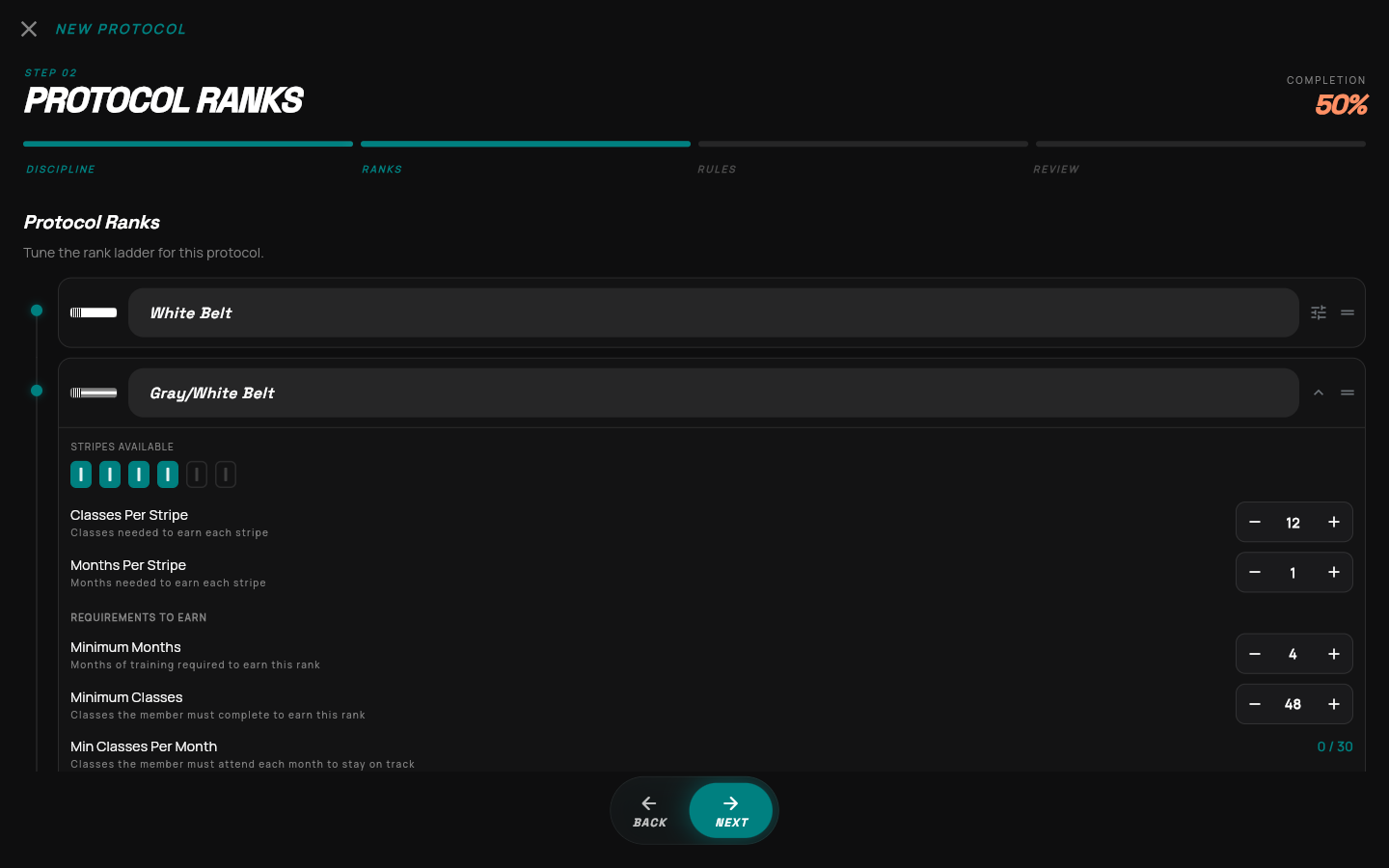
Set the white-belt stripes

Stripe rules describe progress while the student holds this belt.

  1. 4 stripe slots
  2. 12 classes per stripe
  3. 1 month per stripe

Both configured thresholds matter: classes and time.

Set the white-belt stripes in the GymFly appEnlarge
STEP 06 · Next belt

Set what earns Gray/White

Promotion requirements go on the belt the student is working toward.

  1. Minimum Months: 4
  2. Minimum Classes: 48
  3. Gray/White stripes: 4

Gray/White also gets 12 classes and 1 month per stripe for the time spent holding that belt.

Set what earns Gray/White in the GymFly appEnlarge
STEP 07 · Consistency

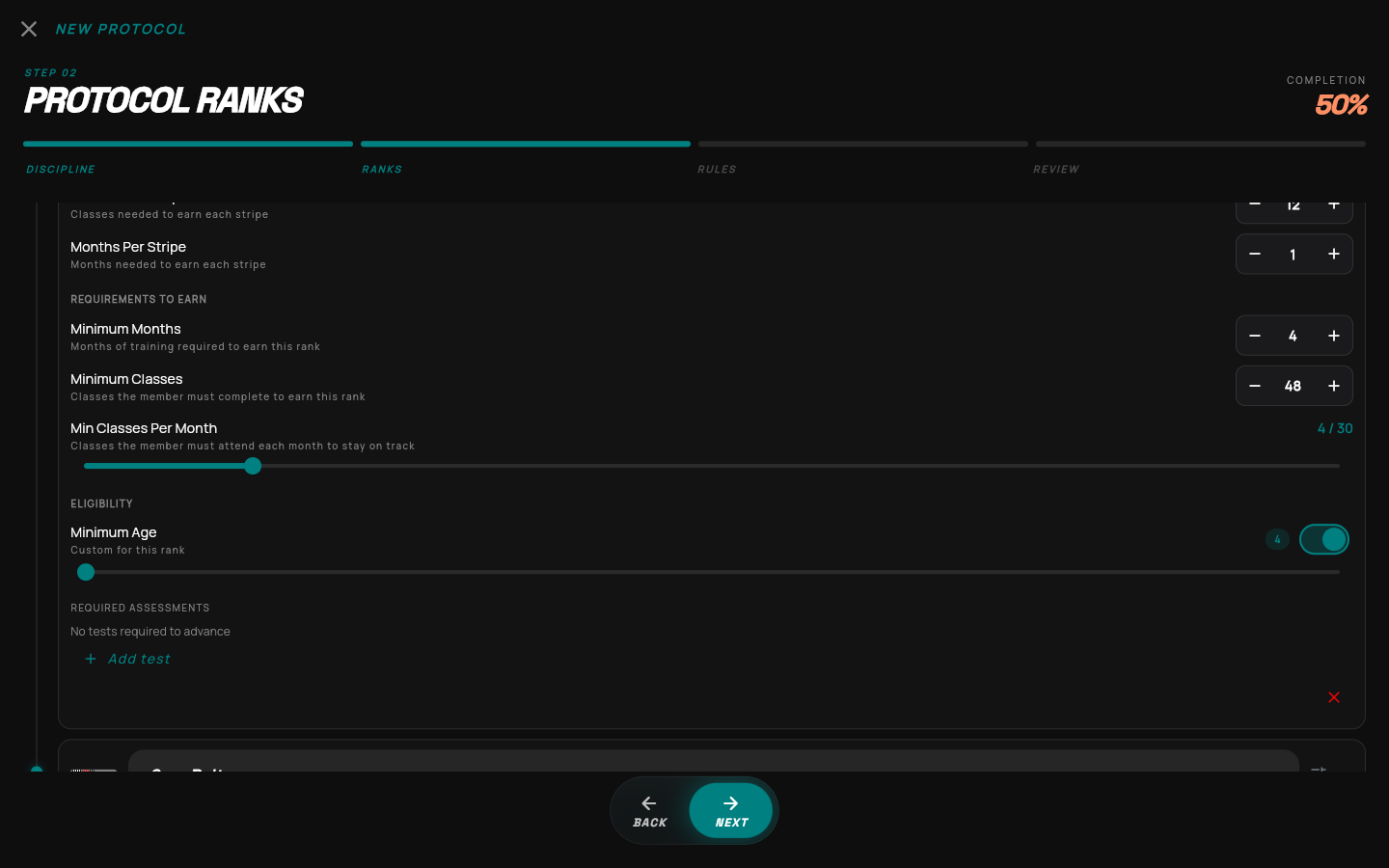
Add a consistency rule

Use attendance, age and assessments to express your academy’s policy.

  1. 4 classes per month
  2. Minimum age: 4
  3. Optional required assessments

This example leaves required assessments empty.

Add a consistency rule in the GymFly appEnlarge
STEP 08 · Who can join

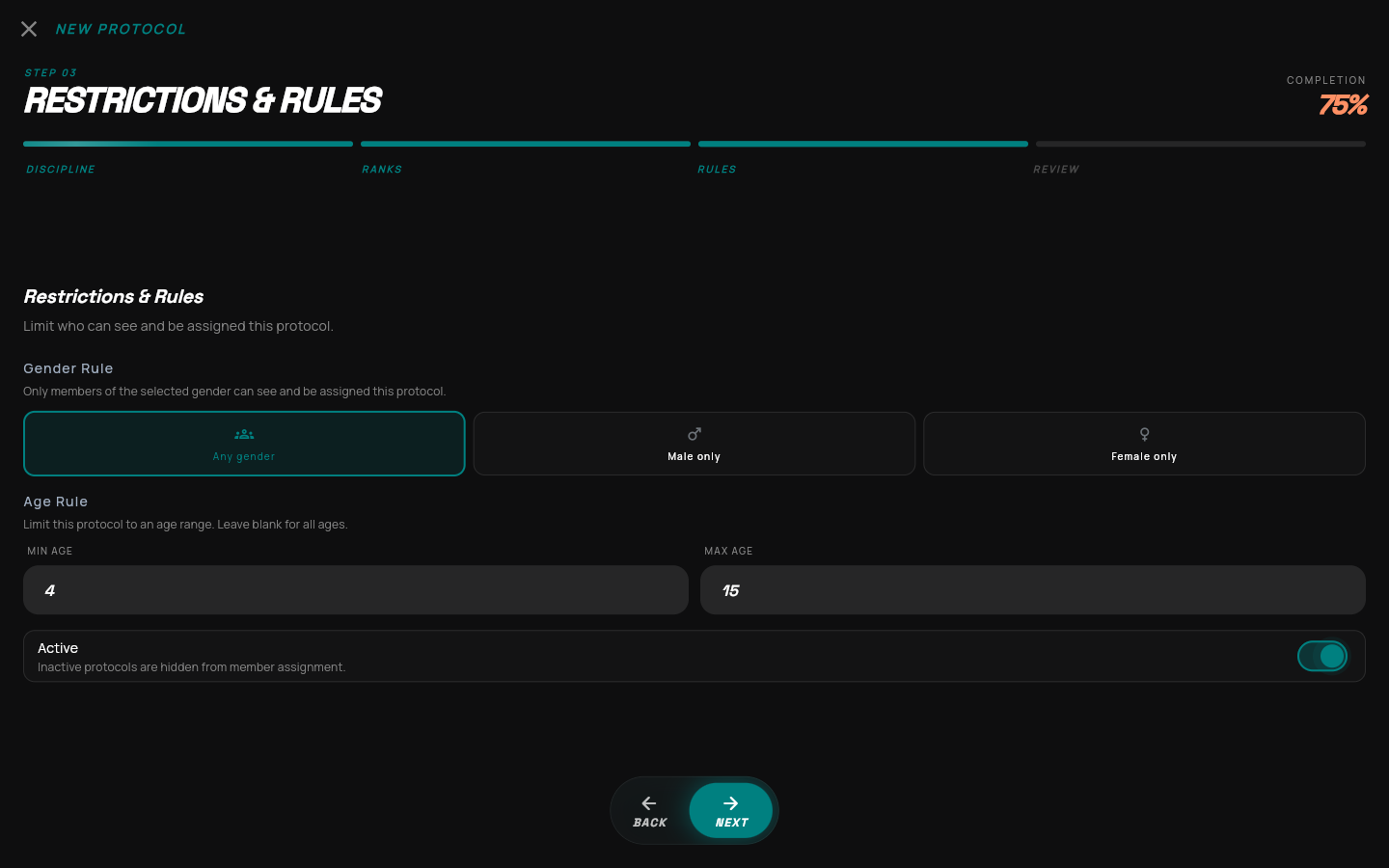
Set the kids age range

The assignment rules belong to this protocol.

  1. Any gender
  2. Ages 4–15
  3. Active: on

The Juniors source label remains 4–16. Your protocol’s assignment rule is 4–15.

Set the kids age range in the GymFly appEnlarge
STEP 09 · Review

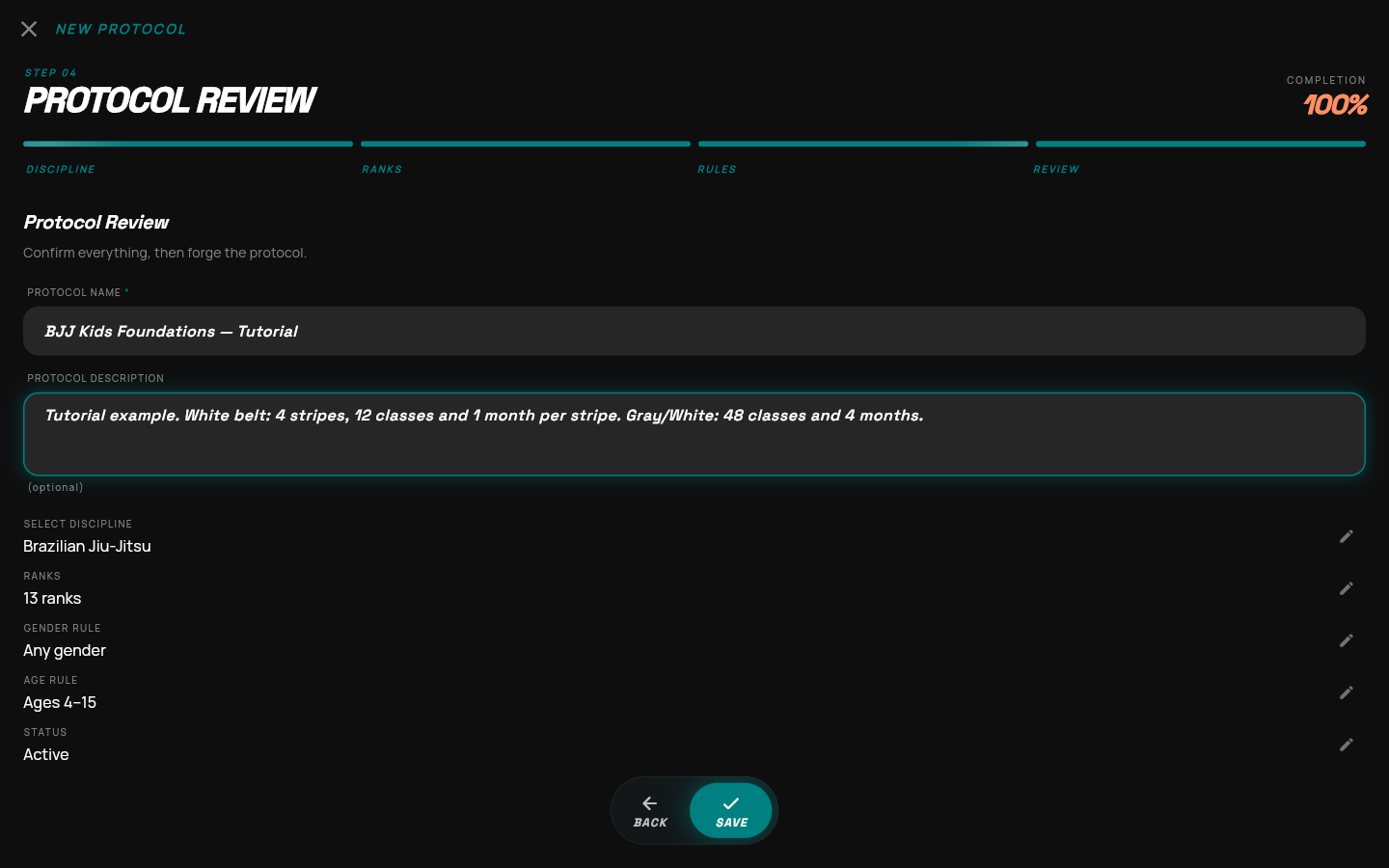
Name it. Check it. Save it.

Use a clear name that staff will recognize when assigning members.

  1. BJJ Kids Foundations — Tutorial
  2. 13 ranks · any gender
  3. Ages 4–15 · active

The edit icons return you to the relevant wizard step.

Name it. Check it. Save it. in the GymFly appEnlarge
STEP 10 · Saved result

Find your new protocol

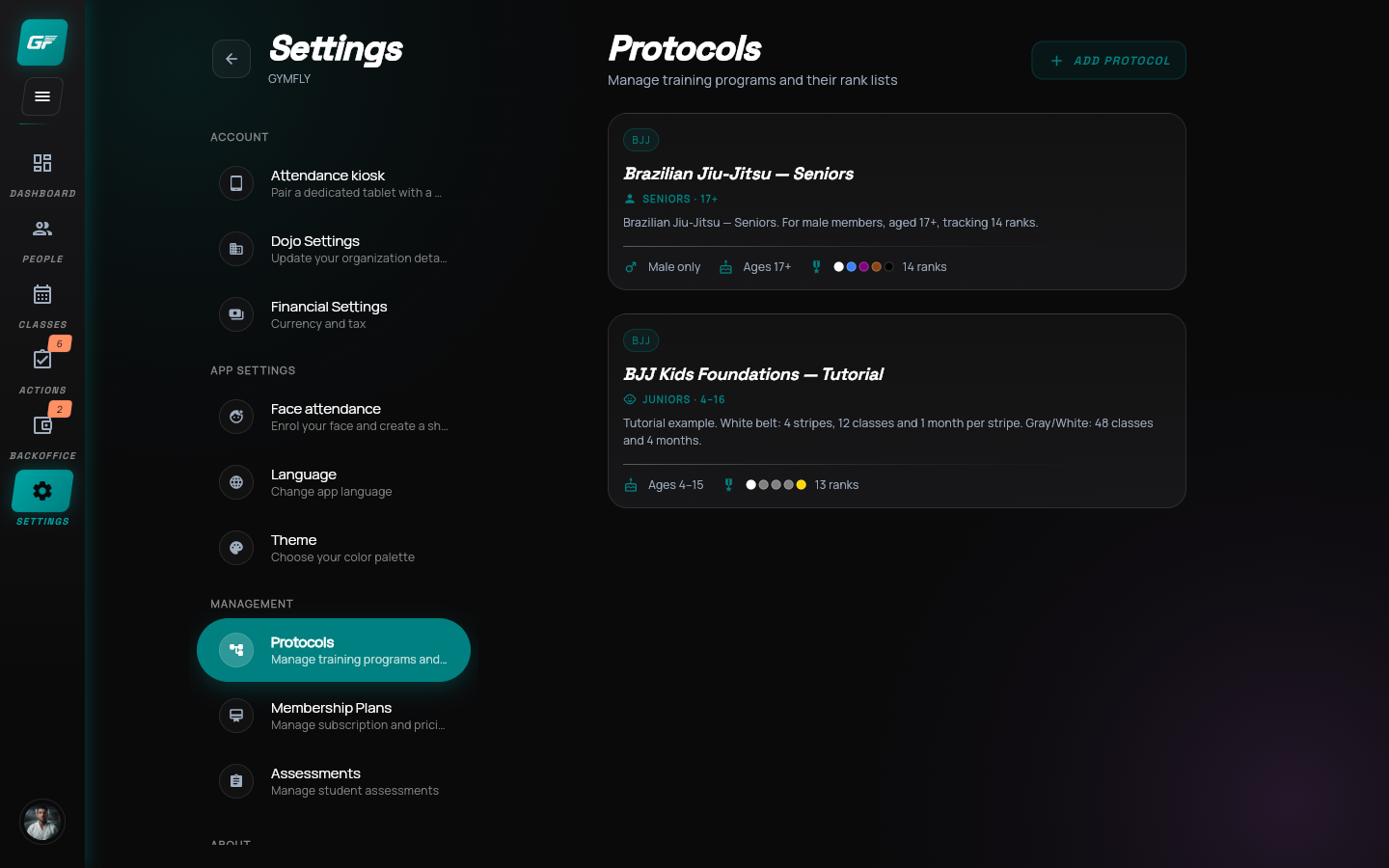
The new program now appears in the Protocols list.

  1. Check the name
  2. Check Ages 4–15
  3. Open its card
Find your new protocol in the GymFly appEnlarge
STEP 11 · Protocol details

Know where to return

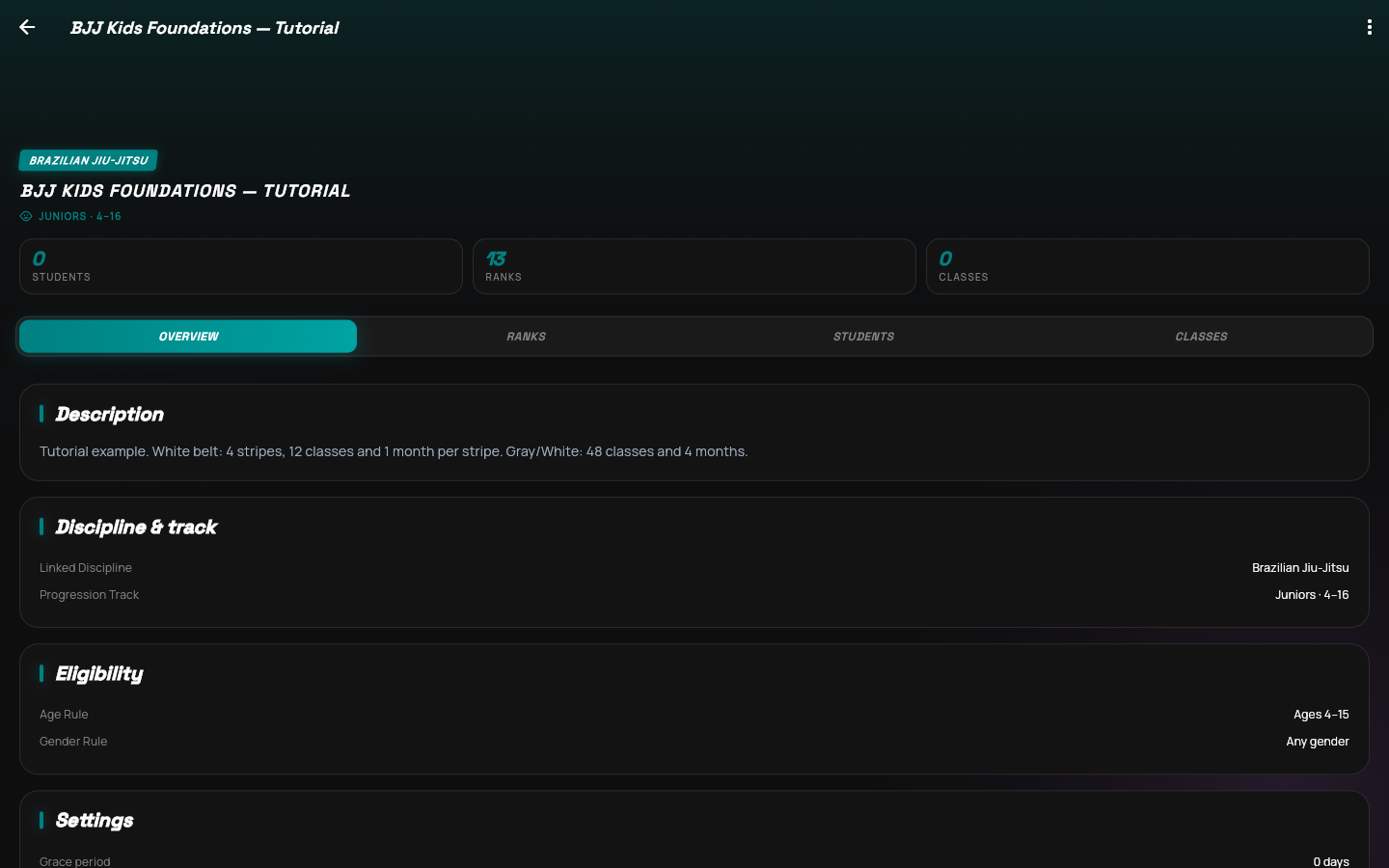
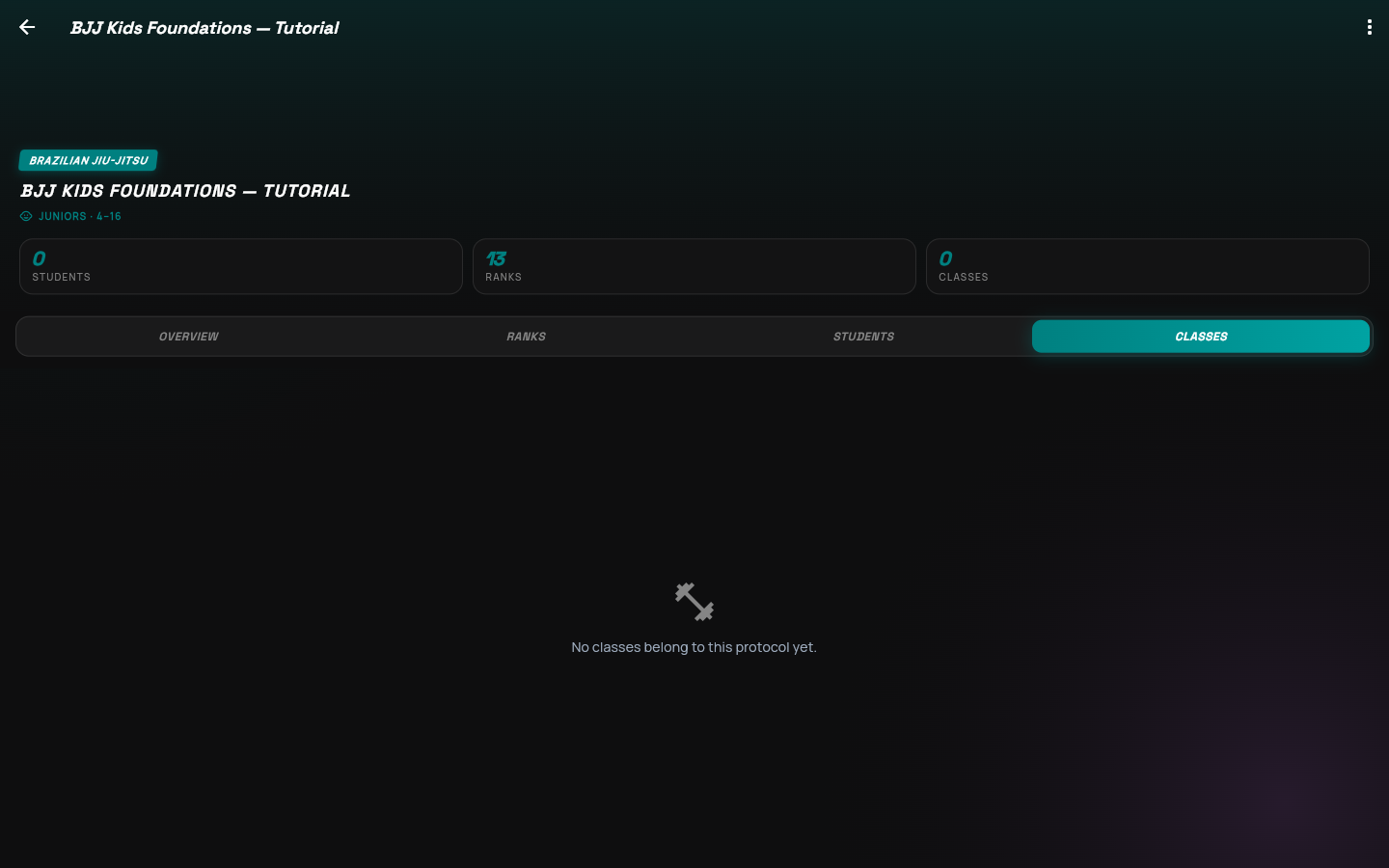
This page is the home for the protocol after creation.

  1. Overview: program summary
  2. Ranks: belt settings
  3. Classes: training links
Know where to return in the GymFly appEnlarge
STEP 12 · Verify

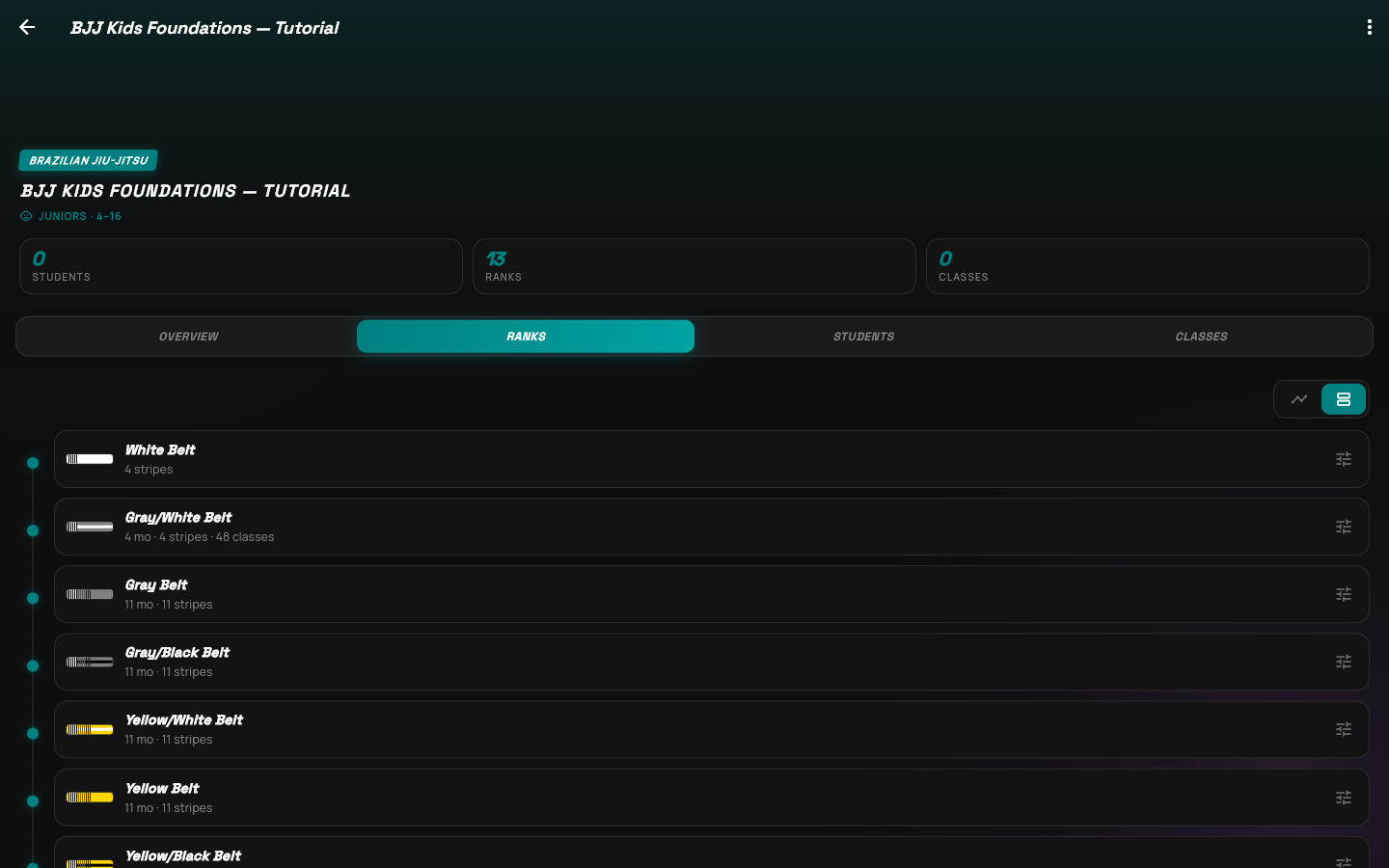
Check the saved ladder

Open a belt to inspect its persisted requirements.

  1. White Belt: 4 stripes
  2. Gray/White: 48 classes
  3. Gray/White: 4 months
Check the saved ladder in the GymFly appEnlarge
STEP 13 · Maintain

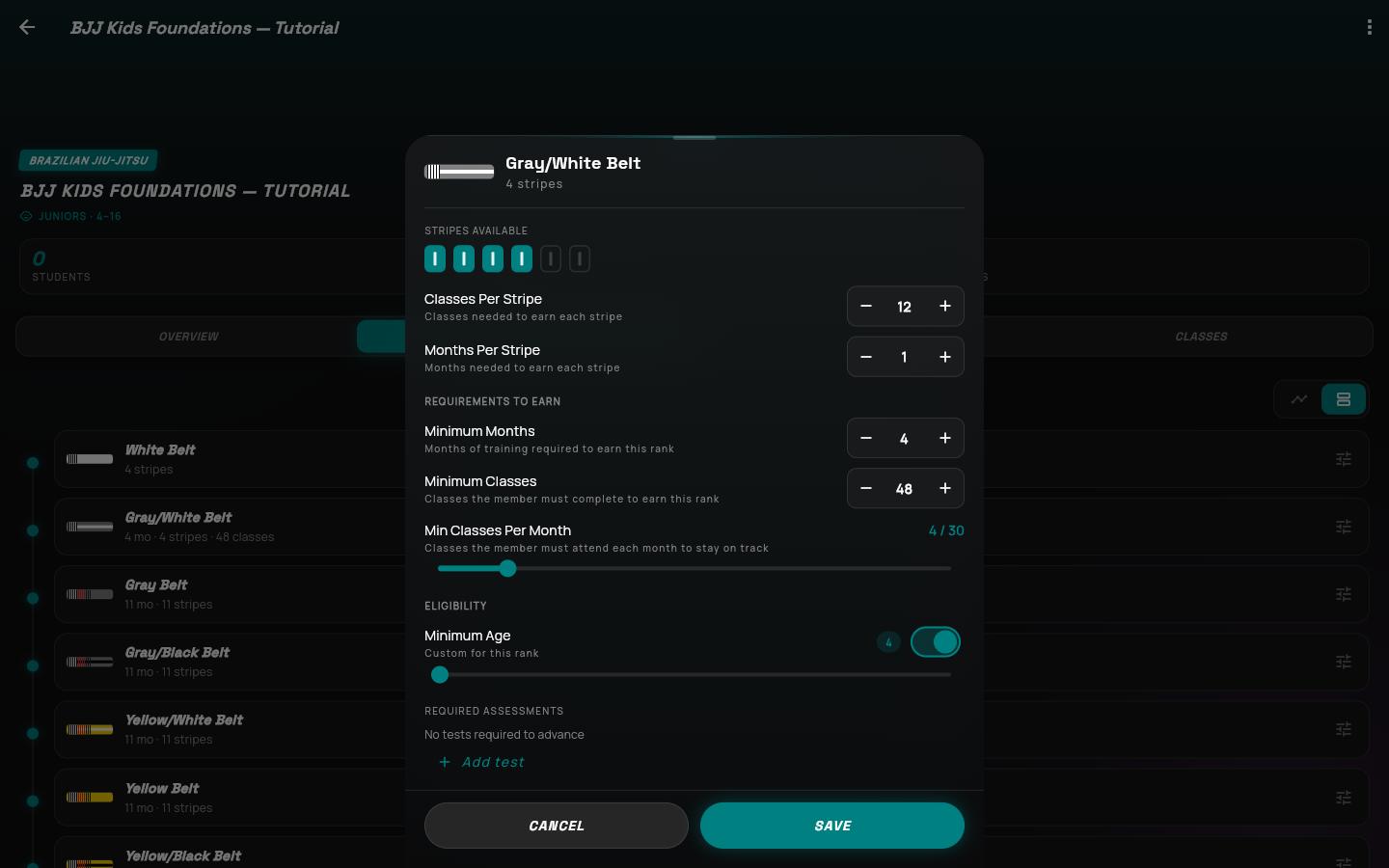
Your settings are saved

Reopening a belt confirms the values persisted.

  1. 4 stripes · 12 classes each
  2. 4 months · 48 classes
  3. 4 classes per month

Apply the same process to the remaining belts before using the full program.

Your settings are saved in the GymFly appEnlarge
STEP 14 · Next step

Connect the training

A protocol needs students and qualifying classes to track real progress.

  1. Assign eligible members
  2. Link the kids classes
  3. Choose which classes count

This recording example was removed after verification. Create your own protocol using your academy’s settings.

Connect the training in the GymFly appEnlarge